74HC165 Shift Register with an Arduino Uno
The 74HC165 is an 8-bit parallel-in, serial-out shift register that reads eight buttons or switches on three microcontroller pins.
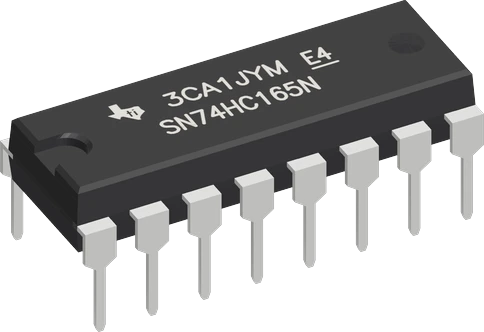
On an Arduino Uno the 74HC165 runs from the same 5 V as the board, so QH swings to 5 V and goes straight into a Uno input with no level shifting. The wiring puts CLK on D13 and QH on D12, which are also the Uno's hardware SPI clock and MISO pins, so the same circuit can be read with a manual loop or with SPI.transfer().
Wiring the 74HC165 Shift Register to the Arduino Uno
Pin by pin.
| 74HC165 Shift Register | Arduino Uno | Note |
|---|---|---|
| VCC | 5V | |
| GND | GND | |
| SH_LD | D8 | |
| CLK | D13 | |
| QH | D12 | |
| CLK_INH | GND | |
| SER | GND | |
| A | GND | through a 10 kΩ resistor |
| B | GND | through a 10 kΩ resistor |
| C | GND | |
| D | GND | |
| E | GND | |
| F | GND | |
| G | GND | |
| H | GND |
What to know on the Arduino Uno
- At VCC = 4.5 V the 74HC165 needs 3.15 V to see a high, and the Uno drives its pins to its 5 V supply, so SH/LD and CLK need no shifting; the chip's QH output likewise reaches the Uno's 5 V input levels directly.TI SN74HC165 datasheet SCLS116H, p. 4; Arduino UNO R3 tech specs
- D13 and D12 are the Uno's SCK and MISO (D10 to D13 carry SPI), so you can replace the bit-banged loop with SPI.transfer(0) in mode 0 after the load pulse, one call per chained register.Arduino UNO R3 datasheet, p. 10
- If you switch to hardware SPI, keep D10 free as an output: SPI.begin() sets it as the SS output, and the ATmega328P drops out of SPI master mode if SS is an input pulled low. SH/LD stays on D8 in this wiring for that reason.Microchip ATmega328P datasheet DS40002061B, SPI section
- D13 also drives the Uno's onboard L LED, so the LED flickers while CLK runs. That is harmless here, since CLK is an output, but it is why D13 is a poor choice for an input.Arduino UNO R3 tech specs (LED_BUILTIN on D13)
- Do not read the chip with shiftIn() on the Uno: the AVR core raises the clock before it reads, so it loses input H. The manual loop in the code reads QH first, then clocks.ArduinoCore-avr wiring_shift.c
74HC165 Shift Register code for the Arduino Uno
Compiled for arduino:avr:uno on 2026-10-29.
// 74HC165 Shift Register on Arduino Uno: wiring and a free simulation at https://www.tinkered.ai/components/74hc165-shift-register/arduino-uno
#include <Arduino.h>

const int LOAD_PIN = 8;    // SH/LD
const int CLOCK_PIN = 13;  // CLK
const int DATA_PIN = 12;   // QH

// Load A-H, then read QH before each clock: H first, A last (bit 0 = A).
uint8_t readInputs() {
  digitalWrite(LOAD_PIN, LOW);
  delayMicroseconds(5);
  digitalWrite(LOAD_PIN, HIGH);
  uint8_t value = 0;
  for (int i = 7; i >= 0; i--) {
    value |= digitalRead(DATA_PIN) << i;
    digitalWrite(CLOCK_PIN, HIGH);
    delayMicroseconds(2);
    digitalWrite(CLOCK_PIN, LOW);
  }
  return value;
}

void setup() {
  Serial.begin(115200);
  pinMode(LOAD_PIN, OUTPUT);
  pinMode(CLOCK_PIN, OUTPUT);
  pinMode(DATA_PIN, INPUT);
  digitalWrite(LOAD_PIN, HIGH);
  digitalWrite(CLOCK_PIN, LOW);
}

void loop() {
  uint8_t inputs = readInputs();
  Serial.print("button A: ");
  Serial.print(inputs & 0x01 ? "pressed" : "released");
  Serial.print("  button B: ");
  Serial.println(inputs & 0x02 ? "pressed" : "released");
  delay(100);
}
74HC165 Shift Register on the Arduino Uno: questions
Can I connect a 74HC165 directly to an Arduino Uno?
Yes. Power it from the Uno's 5V pin, so its inputs see the Uno's 5 V logic (it needs 3.15 V for a high at 4.5 V, TI datasheet p. 4) and QH comes back at 5 V. Tie CLK INH and SER to GND and give every input a pull resistor or a rail.
Why does shiftIn() read the wrong bits from a 74HC165 on the Uno?
The Uno's AVR core pulses the clock high before sampling, so bit H is shifted out before it is read and the result is off by one bit. Read QH first, then pulse CLK, as the loop in the code does.
Can I use hardware SPI on the Uno to read the 74HC165?
Yes: CLK is already on D13 (SCK) and QH on D12 (MISO), the Uno's SPI pins (Arduino UNO R3 datasheet, p. 10). Pulse SH/LD low, then call SPI.transfer(0) once per register in SPI mode 0, and leave D10 as an output.
Keep going
This guide as plain Markdown. /components/74hc165-shift-register/arduino-uno.md