Students & Educators
Multisim Live goes offline on September 15, 2026, and the official replacement is paid Windows software. Tinkered runs on the Chromebooks and lab machines you already have, students share work with a link, and it is free.
Real SPICE analog simulation, schematic capture and an oscilloscope, plus firmware that actually runs on the board. No download, no license, no Windows required.
Multisim Live retires on September 15, 2026. You are in the right place.
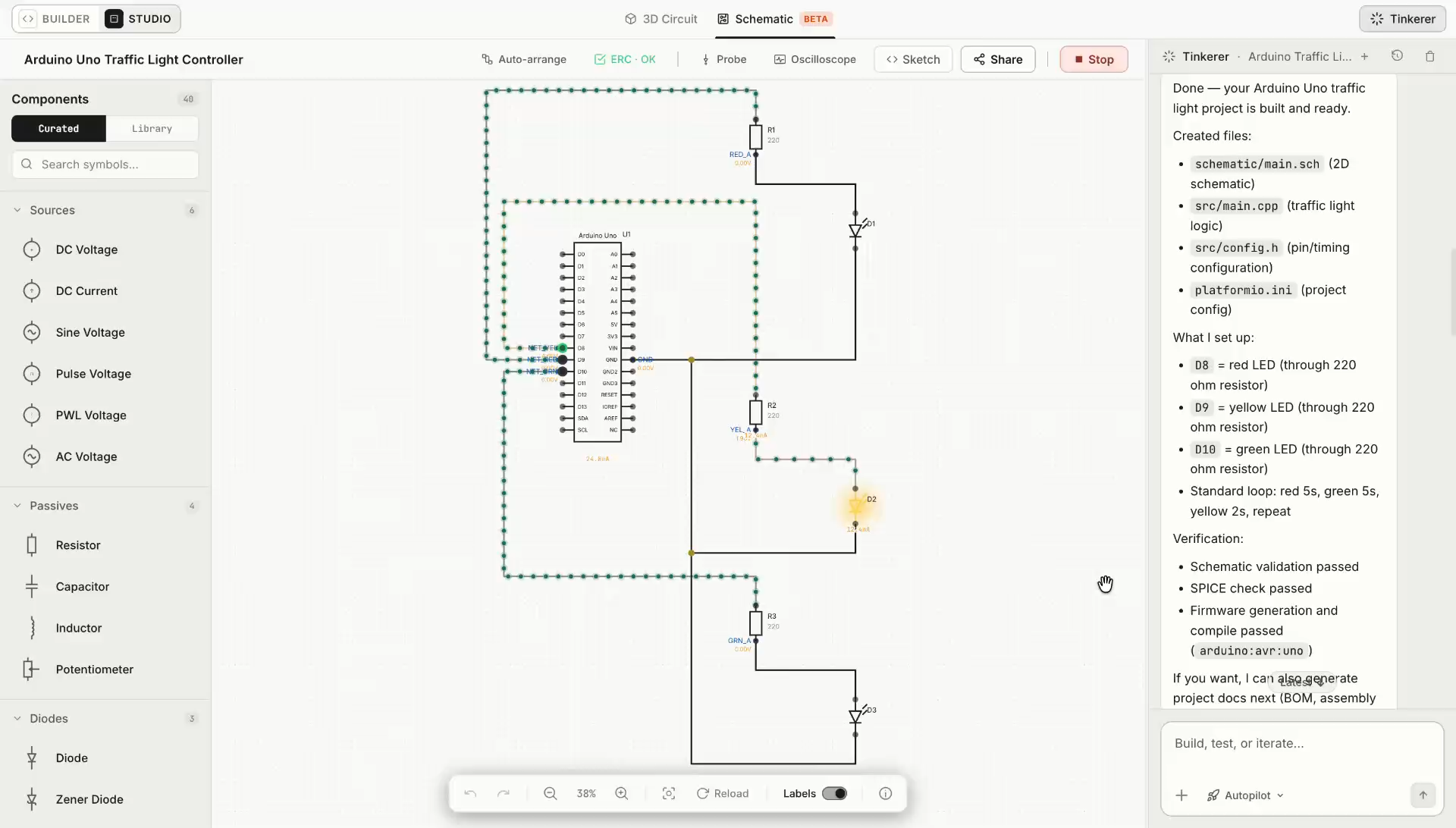
Most tools make you choose. Run the firmware and guess at the analog, or simulate the analog with no firmware in it. Tinkered runs both together and measures them against a single clock, so you can watch a pin change state and watch what that did to your circuit in the same moment.
The sketch that will ship runs against the circuit you drew. Pin writes, timers, and interrupts happen when the firmware says they happen.
Capacitors charge, op-amps settle, and dividers load exactly as their values dictate. Not animated approximations of a circuit.
Both are measured against the same clock, so a pin edge and the analog transient it caused appear on the same trace, at the same instant.
A schematic that only looks right is a guess. Tinkered gives the design a bench: probes on any net, a triggering oscilloscope, the analyses you already work in, and measurements that agree with what an instrument on your desk would tell you.
Probe any net or pin. Edge triggering with adjustable level, slope, hold-off, and pre-trigger position. Auto, normal, and single-shot capture, so a one-time event stays on screen.
Vpp, Vrms, Vavg, top and base, frequency, period, duty cycle, rise and fall time, and overshoot. Levels come from the settled waveform, not from peaks, so a ringing edge reports honest numbers.
Operating point for a quick DC answer, transient for behavior over time, DC sweep for a curve across an input, and AC sweep for frequency response across decades.
Derive current across a shunt or instantaneous power from two probes. Take an FFT of any channel with selectable windowing when you need the frequency picture instead of the time one.
Read UART, I2C, and SPI traffic decoded from the captured lines, so a bus problem is legible as frames instead of a wall of edges.
Rule checks flag floating inputs, conflicting drivers, and power problems before you order parts. Export any capture as CSV when the analysis continues somewhere else.
Every capture is inspectable. Open the generated netlist and read exactly what was solved, line by line.
Tinkered keeps the circuit from becoming an isolated drawing. For MCU projects, components, connections, and pin assignments continue into firmware, simulation, and physical hardware.
Turn requirements into an editable circuit with components, values, nets, and power connections.
Review electrical conditions, missing connections, and unresolved requirements before moving on.
Carry MCU interfaces and pin assignments into the board-specific code that controls the circuit.
Run the firmware with the circuit and observe how inputs, outputs, and components respond together.
Take the reviewed project toward assembly, deployment, and another physical iteration.
Generate, validate, compile, and deploy firmware for the boards makers use every day, from Arduino and ESP32 to Raspberry Pi Pico, STM32, Teensy, micro:bit, and more.
See all supported boardsMultisim Live goes offline on September 15, 2026, and the official replacement is paid Windows software. Tinkered runs on the Chromebooks and lab machines you already have, students share work with a link, and it is free.
Multisim Live stopped at the circuit. Tinkered runs the firmware too, then flashes it to your Arduino or ESP32, so the project you simulated is the project sitting on your bench.
Keep the SPICE analyses, the probes and the scope. Add mixed-signal simulation where the code and the analog circuit are solved together, and skip the license server entirely.
Still tinkering? Bring your build to the community.
Join the communityYes. NI and Digilent have announced that Multisim Live reaches end of life on September 15, 2026. Monthly subscriptions ended on August 1, 2026, and yearly subscriptions are no longer sold or renewed. The official replacement is Multisim Desktop, which is paid software that runs on Windows only.
Export them before September 15, 2026. NI's path is to import them into Multisim Desktop, and NI's own documentation notes that the transfer is not complete: slider values, text annotations, simulation settings, simulator settings and component parameters do not carry over. If you would rather rebuild in a browser tool that is not going away, Tinkered is free to start and takes about a minute to sign up.
It depends on what you used Multisim Live for. If you want the browser part, real SPICE analog simulation, schematic capture, probes and an oscilloscope with cursors and automatic measurements, Tinkered covers that and is free. It also runs microcontroller firmware and flashes real boards, which Multisim Live never did.
No. Tinkered runs in the browser on macOS, Windows, Linux and ChromeOS. There is nothing to download, no license server and no IT approval to wait on, which is the main reason people picked Multisim Live over Multisim Desktop in the first place.
Yes. Analog components are solved with a real SPICE engine, not an animation. You get transient analysis, DC sweep and AC sweep, live node voltages and net currents on the schematic, probes you can place on any node, and an oscilloscope with cursors and automatic measurements.
Yes, and this is the part Multisim Live never had. Tinkered runs your actual firmware cycle by cycle against the real instruction set, alongside the analog simulation, so the code and the circuit are solved together. Arduino, ESP32 and more than 1,300 boards are supported.
Yes. Tinkered is free to use. No credit card, no install, no catch.
Yes. It runs on school Chromebooks and lab machines with no installation, students share a circuit with a link, and the whole class works from the same browser tab they already have open. That matters this term, because Multisim Live goes offline on September 15, 2026, in the first weeks of the semester.
Multisim Live (multisim.com) is the free browser-based circuit simulator from National Instruments, managed by Digilent, used by students, educators and engineers to capture schematics and run SPICE simulation online without installing anything. Also searched as “multisim live”, “multisim online”, “ni multisim”, “multisim free”, “multisim live alternative” and “multism”, it became a standard way to teach and share circuits in the browser. On September 15, 2026 it reaches end of life and goes offline. Monthly subscriptions ended on August 1, 2026, and the official path forward is Multisim Desktop, which is paid software for Windows.
Tinkered is a free online circuit simulator for the people that leaves behind. It keeps the reasons you chose a browser tool, nothing to download, nothing to license, works on macOS, Windows, Linux and ChromeOS, and it keeps the work you actually did in Multisim Live: schematic capture with net labels and rule checking, real SPICE analog simulation with transient, DC sweep and AC sweep, probes on any node, live voltages and currents, and an oscilloscope with cursors and automatic measurements. It adds what Multisim Live never had, running your microcontroller firmware alongside the analog circuit and flashing that firmware to a real Arduino, ESP32 or any of 1,300+ boards. If you are looking for a Multisim Live replacement before September 15, you can start in the browser tab you already have open.