Take your virtual deviceinto the real world.
Build the circuit. Run the firmware in simulation. Then connect the matching board and deploy the same Tinkered project to real hardware, while keeping the development loop open.
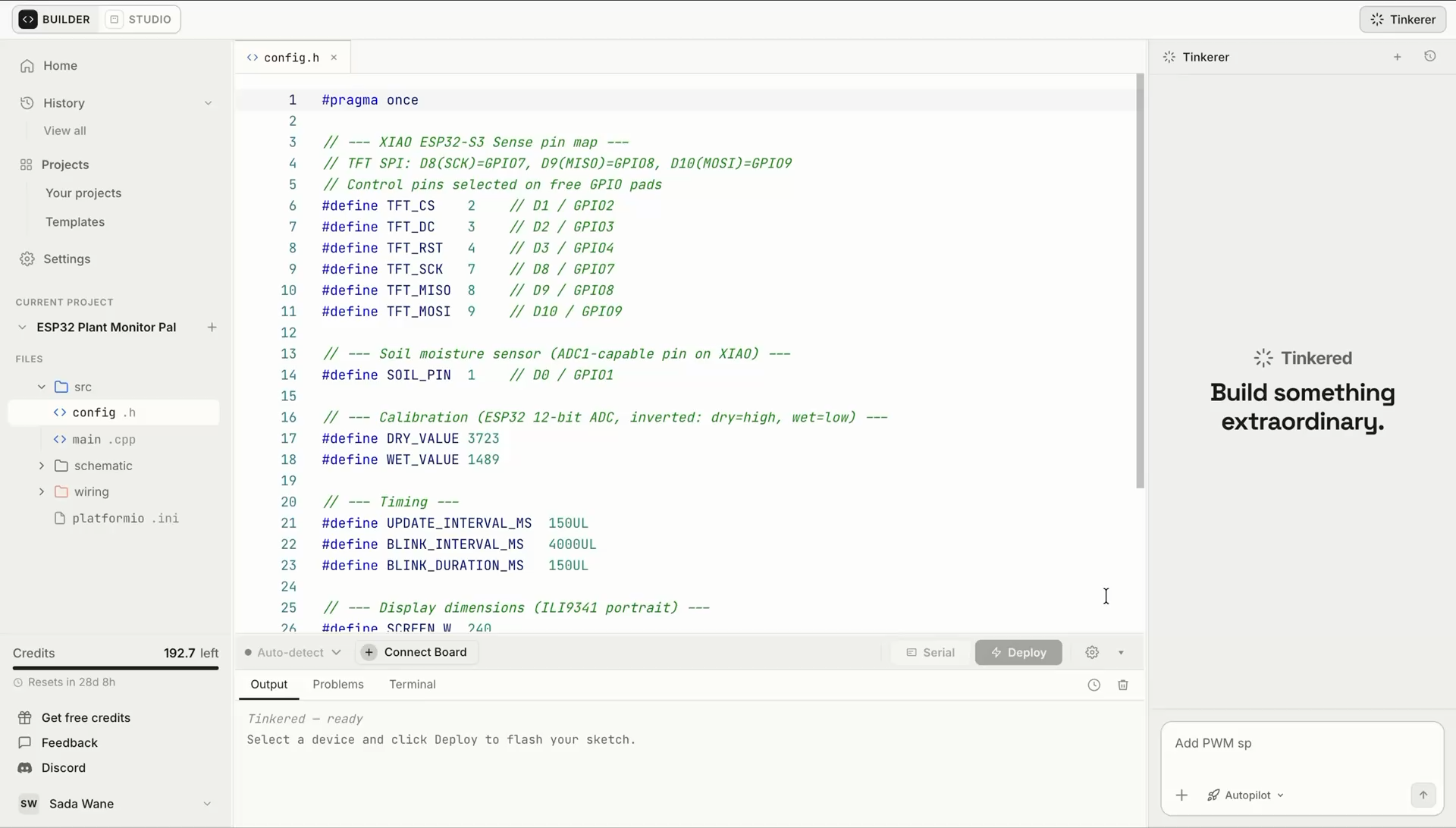
Deployment keeps the loop open.
The board target, pin assignments, firmware, and build configuration remain attached to the same project, from the last simulation through upload, observation, and the next revision.
- 01SimulateExercise the connected circuit and firmware.
- 02DeployCompile for the selected target and upload.
- 03ObserveInspect serial output and physical behavior.
- 04RefineReturn to the same circuit and source files.
Browser deployment is available for compatible Arduino, ESP32, Raspberry Pi Pico, STM32, and other targets in Tinkered's 1,300+ board workflow. Availability varies by board and upload protocol.
Questions before you deploy?
Still tinkering? Bring your board or upload question to the maker community.
Join the communityWhat does Tinkered Deploy do?
Tinkered Deploy compiles the firmware for a selected target board, transfers it to compatible physical hardware through a supported browser, and keeps the upload result and serial feedback in the same project workflow.
How does Tinkered connect to a microcontroller board from the browser?
When you choose to connect, a supported desktop browser asks you to grant access to an available USB or serial device. Tinkered can use only the board you explicitly authorize. Deployment requires a secure connection and browser support for the board's hardware interface and upload protocol.
Does Tinkered compile firmware and show the upload logs?
Yes. Tinkered builds the project for the selected board target before upload and keeps the compile and transfer output visible. You can distinguish a source-code error from a target, permission, connection, or upload problem while the board settings and pin assignments remain tied to the project.
Which Arduino, ESP32, and other boards can I deploy to?
Tinkered supports more than 1,300 boards across the broader workflow, including Arduino, ESP32, ESP8266, Raspberry Pi Pico, RP2040, STM32, Teensy, BBC micro:bit, nRF52, and Feather families. Browser deployment availability varies by board and upload protocol, so Tinkered checks compatibility before connection.
What should I check if my board is not detected?
Confirm that the USB cable carries data, reconnect the board, try another port, close other software using the serial connection, and follow the board's reset or bootloader procedure when required. Browser permission, drivers on some systems, and stable power can also affect detection.
Can I monitor serial output after flashing the board?
Yes. The serial monitor lets you read messages and device state from the running firmware, which helps you compare physical behavior with the expected simulation and identify what to refine next.
Can I change the project and deploy it again?
Yes. Return to the connected circuit and firmware, make a change, run the revision in simulation, compile for the selected target, and deploy again. The circuit, firmware, board configuration, simulation results, and upload output remain part of the same iteration loop.
Put the project on your bench.
Connect a supported board, compile and flash the same firmware you exercised in simulation, inspect serial output, and keep iterating.