SG90 Micro Servo with a Raspberry Pi Pico
A 9-gram positional micro servo that swings about 180 degrees in response to a 50 Hz servo pulse, rated at 4.8V.
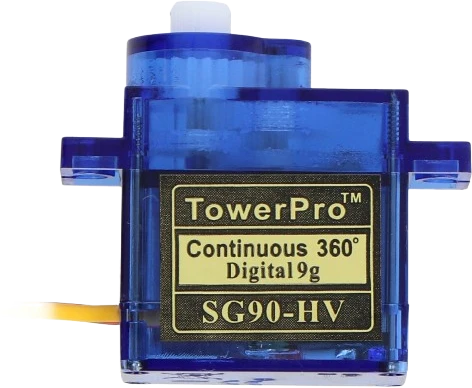
The SG90 takes its signal from the Raspberry Pi Pico's GP0 and its power from VBUS, the USB 5 V, with arduino-pico's built-in Servo library driving it. A 3.3 V pulse is enough for the servo; 5 V on its red wire is only there while USB powers the Pico.
Wiring the SG90 Micro Servo to the Raspberry Pi Pico
Pin by pin.
| SG90 Micro Servo | Raspberry Pi Pico |
|---|---|
| VCC | VBUS |
| GND | GND |
| SIG | GP0 |
- VCC is on VBUS, which gives about 5 V only while the board is powered from USB.
What to know on the Raspberry Pi Pico
- VBUS is the micro-USB input, nominally 5 V and 0 V when USB is absent. On a battery through VSYS the servo gets no power from VBUS.Raspberry Pi Pico datasheet, release 21, p. 8
- Servo current on VBUS comes from the USB port directly, not through the Pico's 3.3 V regulator, so it does not eat into the 300 mA recommended for the 3V3 pin. VBUS also feeds VSYS through a Schottky diode, so servo dips show on VSYS.Raspberry Pi Pico datasheet, release 21, pp. 8, 20
- arduino-pico ships its own Servo.h, so no library is installed for this board; any GPIO can carry the signal, since the RP2040 has 16 PWM channels.arduino-pico core documentation (Earle Philhower); Raspberry Pi Pico datasheet, release 21, p. 4
- For more than one servo, give them their own 5 V supply with a common ground rather than VBUS.Raspberry Pi Pico datasheet, release 21, p. 8
SG90 Micro Servo code for the Raspberry Pi Pico
Compiled for rp2040:rp2040:rpipico on 2026-10-30.
// SG90 Micro Servo on Raspberry Pi Pico: wiring and a free simulation at https://www.tinkered.ai/components/servo-sg90/raspberry-pi-pico
#include <Servo.h>

const int SERVO_PIN = 0;
Servo servo;

void setup() {
  servo.attach(SERVO_PIN);
}

void loop() {
  for (int angle = 0; angle <= 180; angle += 2) {
    servo.write(angle);
    delay(15);
  }
  for (int angle = 180; angle >= 0; angle -= 2) {
    servo.write(angle);
    delay(15);
  }
}
SG90 Micro Servo on the Raspberry Pi Pico: questions
Can the Raspberry Pi Pico power an SG90 servo?
One small SG90, from VBUS while on USB (Pico datasheet, p. 8). Never from 3V3. For several servos use a separate 5 V supply with a common ground.
Which Servo library works on the Pico?
The arduino-pico core includes Servo.h, so the page's code needs nothing extra; on an ESP32 you would need ESP32Servo instead.
Why does my SG90 not move when the Pico runs on battery?
VBUS is 0 V without USB (Pico datasheet, p. 8). Power the servo from the battery side or a 5 V regulator, with the grounds joined.
Keep going
This guide as plain Markdown. /components/servo-sg90/raspberry-pi-pico.md