Waterproof DS18B20 with an Arduino Uno
Waterproof stainless steel probe housing a Maxim DS18B20 digital thermometer that reports temperature from -55 to +125 °C over a single 1-Wire data line.
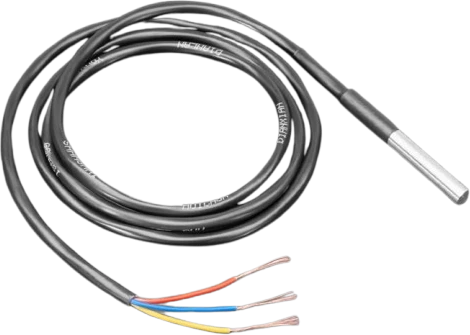
On an Arduino Uno the waterproof DS18B20 runs from the 5V pin, inside its 3.0 V to 5.5 V range, and its data wire goes to D2 with a 4.7 kΩ pull-up to the same 5V. 1-Wire timing is bit-banged by the OneWire library, so any Uno digital pin works; D2 is just a free one.
Wiring the Waterproof DS18B20 to the Arduino Uno
Pin by pin.
| Waterproof DS18B20 | Arduino Uno | Note |
|---|---|---|
| VCC | 5V | |
| GND | GND | |
| DATA | D2 | with a 4.7 kΩ pull-up resistor from DATA to VCC |
What to know on the Arduino Uno
- The pull-up goes from DATA to the Uno's 5V, 4.7 kΩ, the value Maxim specifies. Without it the bus floats and the library finds no sensor.Maxim DS18B20 datasheet (rev 042208), p. 6
- requestTemperatures() waits for the conversion by default, up to 750 ms at 12 bits, and the Uno does nothing else meanwhile. Call sensors.setWaitForConversion(false) and read later, or lower the resolution to shorten the wait.Maxim DS18B20 datasheet (rev 042208), pp. 1, 3
- Several probes can share D2, each found by its 64-bit ROM code; the Uno stores each address in 8 bytes of its 2 KB SRAM, so many probes on one pin cost little memory.Maxim DS18B20 datasheet (rev 042208), p. 1; Arduino UNO R3 tech specs
- A reading of 85 °C right after power-up is the register's reset value, not a temperature: it means a conversion has not completed yet.Maxim DS18B20 datasheet (rev 042208), p. 4
Waterproof DS18B20 code for the Arduino Uno
Compiled for arduino:avr:uno on 2026-10-30.
// Waterproof DS18B20 on Arduino Uno: wiring and a free simulation at https://www.tinkered.ai/components/ds18b20-waterproof/arduino-uno
#include <OneWire.h>
#include <DallasTemperature.h>

#define ONE_WIRE_BUS 2          // DATA on D2
OneWire oneWire(ONE_WIRE_BUS);
DallasTemperature sensors(&oneWire);

void setup() {
  Serial.begin(9600);
  sensors.begin();
}

void loop() {
  sensors.requestTemperatures();
  Serial.print(sensors.getTempCByIndex(0));
  Serial.println(" C");
  delay(1000);
}
Waterproof DS18B20 on the Arduino Uno: questions
What resistor does the DS18B20 need on an Arduino Uno?
4.7 kΩ from DATA (D2) to the Uno's 5V (Maxim datasheet, p. 6). It is a pull-up, so its other end goes to VCC, not GND.
Why does my Uno sketch freeze for almost a second when reading the DS18B20?
A 12-bit conversion takes up to 750 ms (Maxim datasheet, p. 1) and the library waits for it. Use setWaitForConversion(false), request the reading, do other work, and read the result after the conversion time.
Can I connect several DS18B20 probes to one Arduino Uno pin?
Yes. All probes share D2, 5V, GND and one 4.7 kΩ pull-up; the library tells them apart by their 64-bit ROM codes (Maxim datasheet, p. 1).
Keep going
This guide as plain Markdown. /components/ds18b20-waterproof/arduino-uno.md