Active Buzzer with an Arduino Uno
A 12 mm magnetic buzzer with its own oscillator: give it DC and it beeps one fixed 2.4 kHz tone, no code tricks needed.
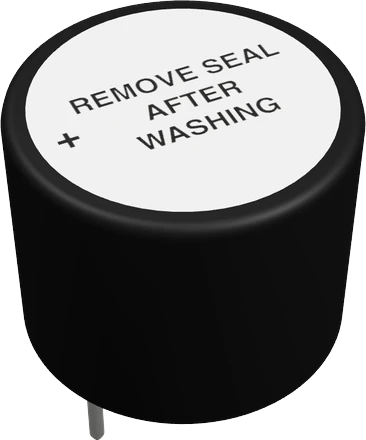
This active buzzer is rated for 5 V, exactly the Arduino Uno's logic level, so on the Uno it sounds at full rated volume when D8 goes HIGH, with no transistor and no tone(). The one Uno limit to watch is current: the buzzer may draw up to 30 mA, above the 20 mA Arduino recommends per pin.
Wiring the Active Buzzer to the Arduino Uno
Pin by pin.
| Active Buzzer | Arduino Uno |
|---|---|
| plus | D8 |
| minus | GND |
- Typical 5 V active buzzers are rated up to about 30 mA. That is within the Uno pin's 40 mA absolute maximum but above the 20 mA it is meant to run at: for a louder buzzer, switch it with an NPN transistor such as a 2N2222 (1 kΩ to the base).
What to know on the Arduino Uno
- The buzzer is rated 5 V DC (3 V to 7 V) and draws 30 mA or less. The Uno's I/O pins are rated 20 mA recommended and 40 mA absolute maximum, so D8 can drive it for beeps, but a buzzer near its maximum draw is better switched by an NPN transistor on its minus lead with plus on the Uno's 5V.Jiangsu Huawha TMB12A05 specification, p. 2; Arduino UNO R3 tech specs; Microchip ATmega328P datasheet DS40002061B, p. 308
- Because it has its own oscillator, it needs no PWM pin and no tone(). That keeps Timer2 free: tone() on the Uno takes Timer2 and stops PWM on D3 and D11, which this buzzer never does.Arduino language reference, tone()
- D8 is a plain digital pin with no special function the buzzer would block, unlike D0/D1 (USB serial), D2/D3 (interrupts) or D10 to D13 (SPI).Arduino UNO R3 datasheet, p. 10
Active Buzzer code for the Arduino Uno
Compiled for arduino:avr:uno on 2026-10-29.
// Active Buzzer on Arduino Uno: wiring and a free simulation at https://www.tinkered.ai/components/buzzer-active/arduino-uno
// Active buzzer on a digital pin (or the transistor's base pin): HIGH beeps.
const int BUZZER = 8;

void beep(int ms) {
  digitalWrite(BUZZER, HIGH);
  delay(ms);
  digitalWrite(BUZZER, LOW);
}

void setup() {
  pinMode(BUZZER, OUTPUT);
}

void loop() {
  beep(100); delay(100);   // two short beeps
  beep(100); delay(800);
  beep(600); delay(1400);  // one long
}
Active Buzzer on the Arduino Uno: questions
Can I connect an active buzzer directly to an Arduino Uno pin?
Yes for short beeps: it is rated 5 V and the Uno drives 5 V. It may draw up to 30 mA (TMB12A05 specification, p. 2) while Arduino recommends 20 mA per pin, so for long tones or several buzzers drive it through an NPN transistor.
Why can't I play a melody on the active buzzer with tone() on the Uno?
Its built-in oscillator sounds one fixed tone of 2400 ± 300 Hz (TMB12A05 specification, p. 2). tone() only chops that tone on and off. For notes, use a passive piezo buzzer.
Does the active buzzer need a PWM pin on the Uno?
No. Any digital pin works with digitalWrite(). D8 is used because it is not a PWM, interrupt, serial or SPI pin.
Keep going
This guide as plain Markdown. /components/buzzer-active/arduino-uno.md